Way 1: with the browser on your TV box
Does your box have a web browser, such as Chrome or TV Bro? Then this is the quickest way.
Installing AdhanTV takes about five minutes and only needs the remote. Choose one of the three ways below; any way that works on your box is fine.
Open the Downloader app on your TV box and type:
adhantv.net/apk
Version 2.2 · for Android TV and Google TV · Android 7.0 or newer
Choose the way that suits your box. All three end the same: AdhanTV opens and the setup starts.
Does your box have a web browser, such as Chrome or TV Bro? Then this is the quickest way.
Downloader is a free app from the Google Play Store that downloads and installs files. Ideal when your box has no browser.
No internet on the box, or no luck with the other ways? Use a computer and a USB stick.
Android only installs apps from outside Google Play when you allow it for the app you install with, such as Downloader or the file manager. On older boxes this is one setting called Unknown sources under Settings › Security & restrictions. You can switch it off again after installing.
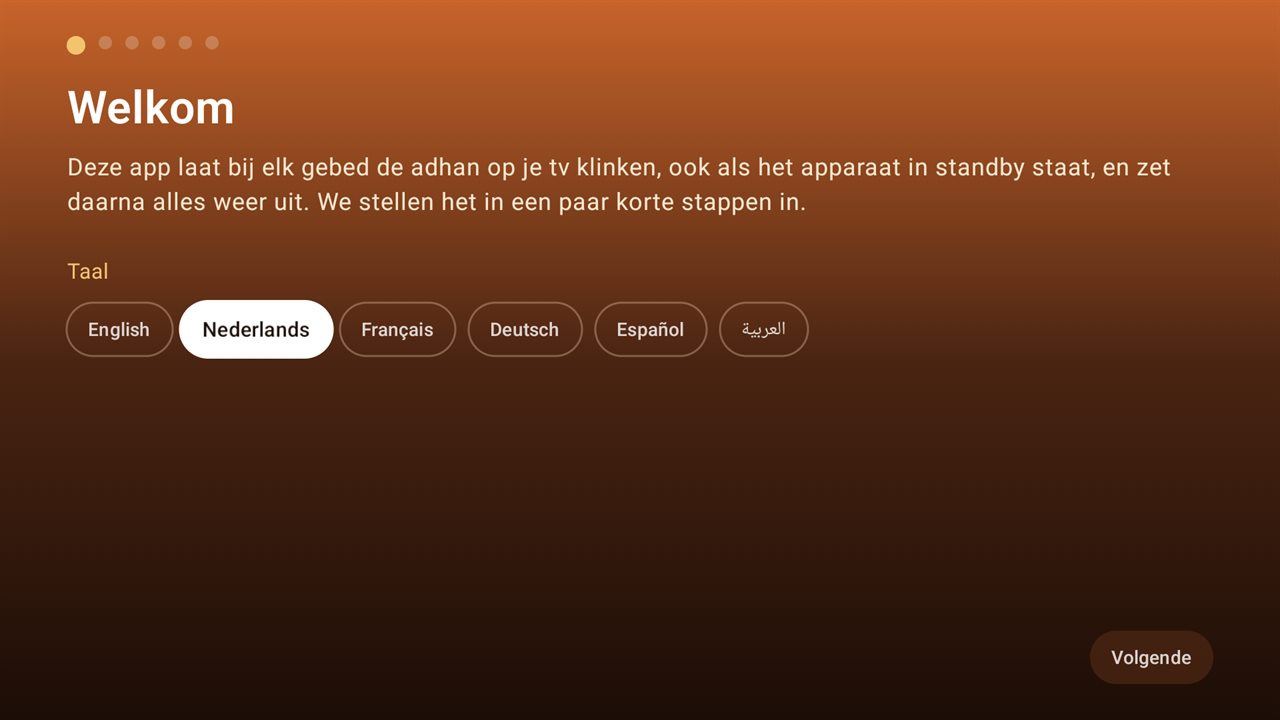
Choose the language of the app.
Choose My city, then your country and city. The usual calculation method there is set for you.
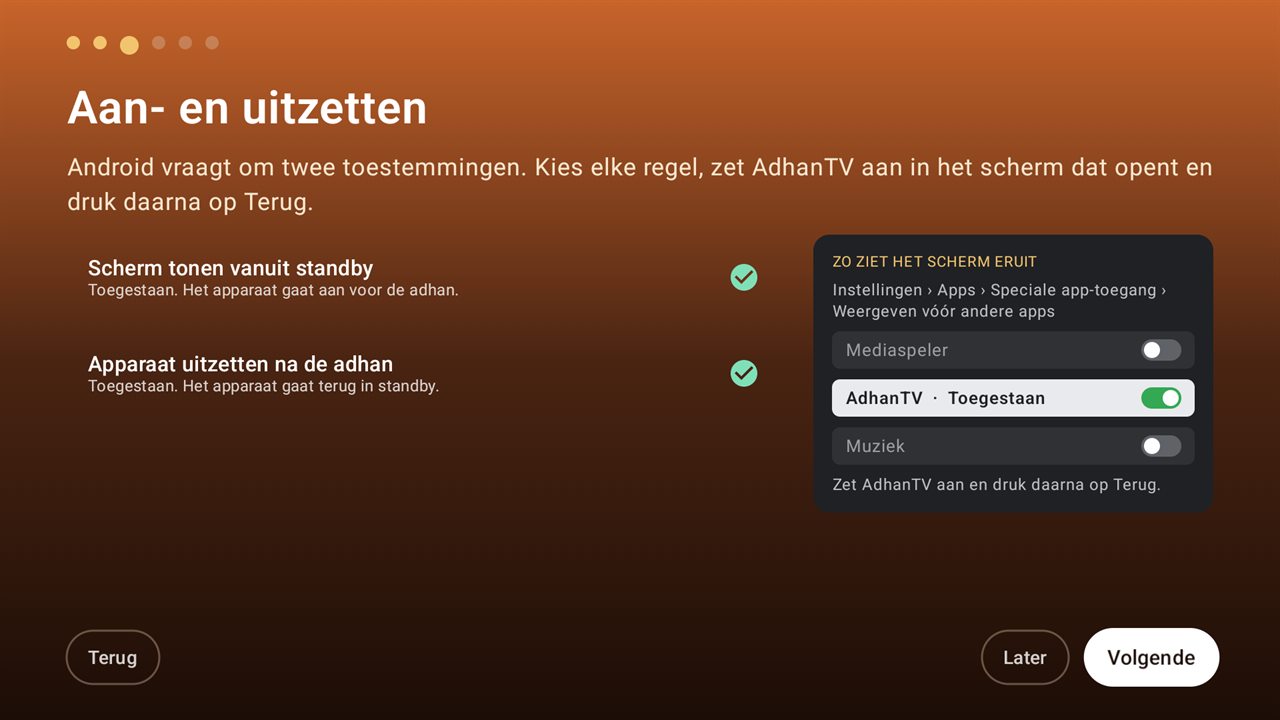
Android asks for a few permissions. Select each line, switch AdhanTV on in the screen that opens and press Back: Display over other apps → AdhanTV → Allow, and Accessibility → AdhanTV → On. On newer Android versions also Alarms & reminders. On Android 7 and 8: device admin.
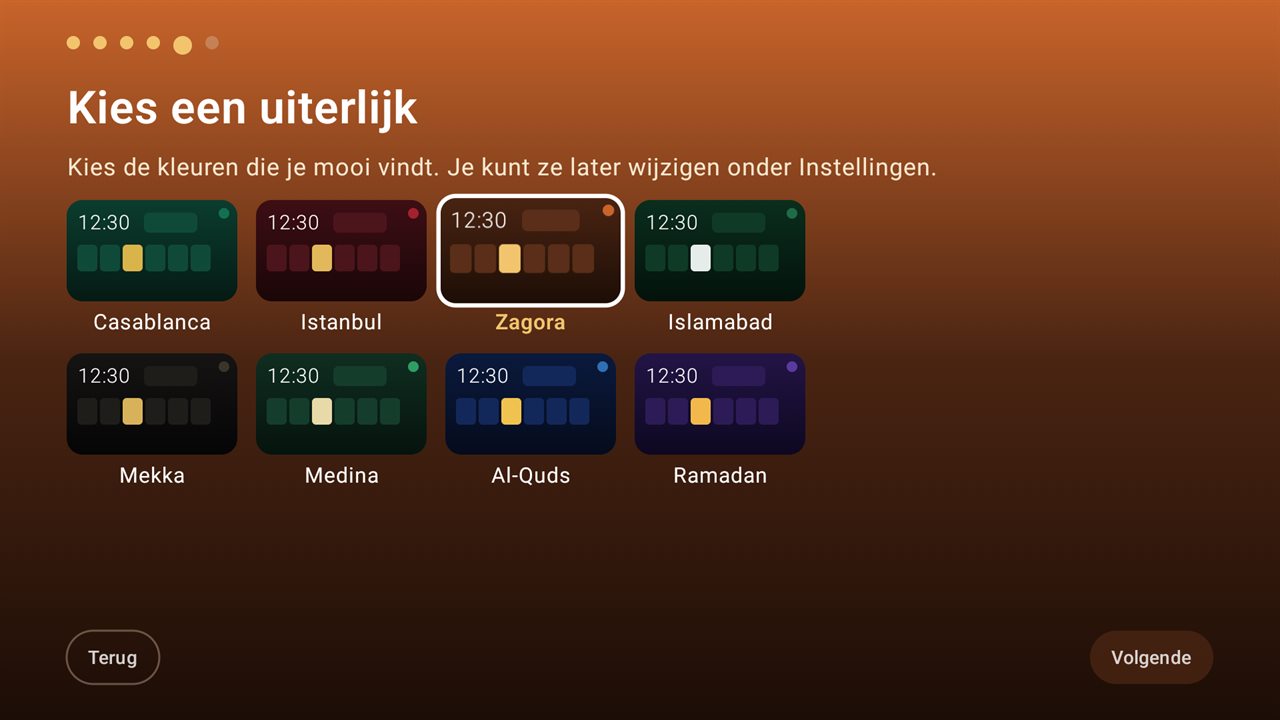
Choose a theme, and whether a prayer break with a countdown follows the adhan.
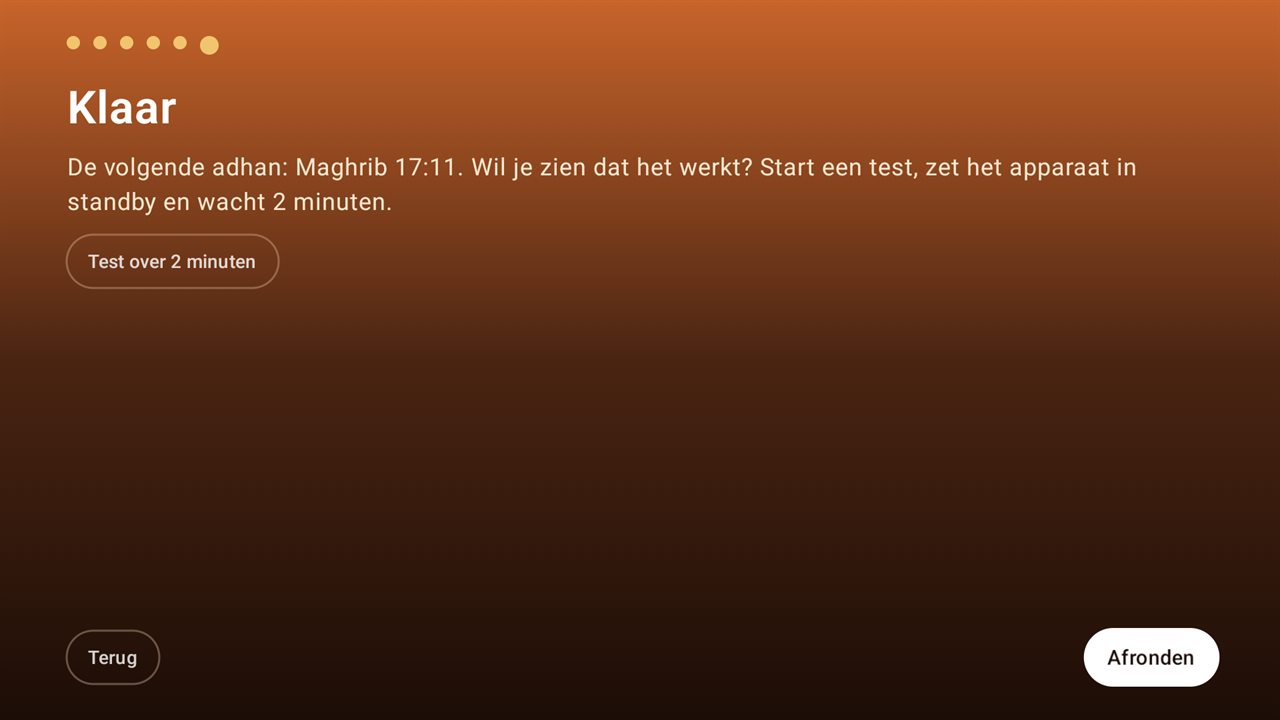
Start the test, put the box in standby with the remote and wait two minutes: the adhan plays and the box goes back to standby.
AdhanTV from this site checks for a new version by itself and asks whether to install it. The first time, Android asks you to allow AdhanTV to install apps. To remove AdhanTV on Android 7 or 8, first switch off device admin under Settings › TV control.
Stuck? Send us a message and mention the brand and model of your TV box.