The adhan on your TV, at every prayer time
AdhanTV wakes your TV box from standby at prayer time, switches the TV on, plays the adhan full screen and puts everything back in standby afterwards. Made for the remote control.
- Free
- No account, no ads
- Android 7.0 or newer
- 6 languages
Made for the TV, not for your phone
AdhanTV is an Android TV app. It runs on the device that is connected to your TV and is used with the remote control.
- Android TV boxes and set-top boxes
- Google TV devices
- Smart TVs with Android TV or Google TV
- Android 7.0 or newer
AdhanTV does not work on phones and tablets, or on TVs with another system such as Tizen or webOS. The TV only switches on with the box when HDMI-CEC is on.
Everything for the adhan at home
Set it up once with the remote. After that AdhanTV takes care of every prayer time by itself.
Wakes the box and the TV
At prayer time the box comes out of standby and the TV comes on with it over HDMI-CEC. Afterwards both go back to standby.
Times from your mosque
Type the link of your mosque's page on Mawaqit once. AdhanTV keeps the times on the box and refreshes them every week.
Or calculated offline
For your city or your own coordinates, without internet. Muslim World League, Diyanet, Morocco, Umm al-Qura, ISNA and more, with standard or Hanafi Asr.
Seven adhans built in
Two of them for Fajr, plus two recordings of the dua. Add your own MP3s. A separate adhan and volume for Fajr.
Other apps pause
Whatever is playing pauses during the adhan, so the adhan is heard. Choose for each prayer whether the adhan plays.
Prayer break
Optional: the dua after the adhan on screen, and a calm countdown of 5 to 30 minutes so everyone goes to pray.
Clock and month overview
Clock, date, Islamic date, the next prayer with a countdown, and a month overview with the times of every day.
Themes and the 99 Names
Calm drawn backgrounds: Casablanca, Istanbul, Islamabad, Zagora, Mecca, Medina and Al-Quds, a Ramadan theme, and a screensaver with the 99 Names of Allah.
Free and private
No account, no ads, no analytics. Settings can be locked with a PIN. In English, Dutch, French, German, Spanish and Arabic.
What happens at prayer time
You don't have to do anything. This is what AdhanTV does at each of the five prayers:
The box wakes up
Even when the TV box is in standby, AdhanTV wakes it at the exact prayer time.
The TV switches on
Over HDMI-CEC the TV comes on with the box. AdhanTV waits a few seconds (you can set how long) so the TV is ready.
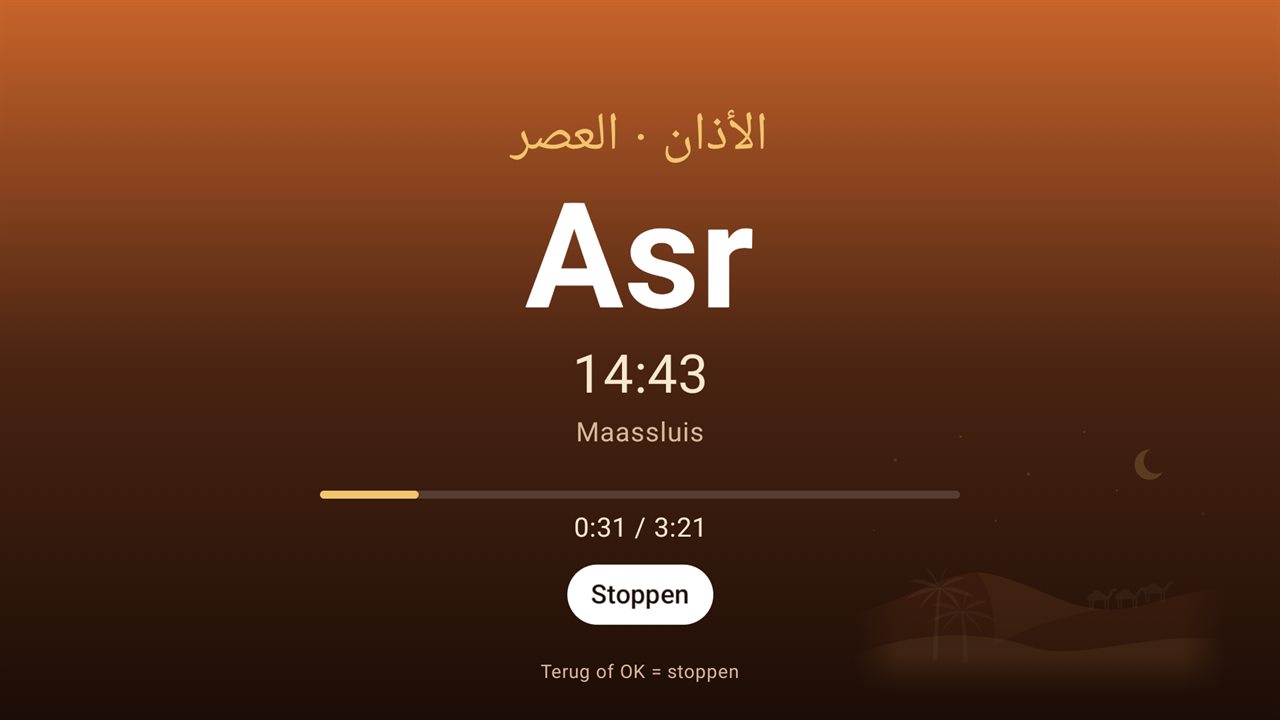
The adhan plays
Other apps pause and the adhan plays full screen, at the volume you chose. Press OK or Back to stop it.
Dua and prayer break
If you want: the dua after the adhan on screen, then a countdown so everyone goes to pray.
Back to standby
When it is over, the box goes back to standby and the TV switches off again, if they were off before.
Screenshots
This is what AdhanTV looks like on your TV.
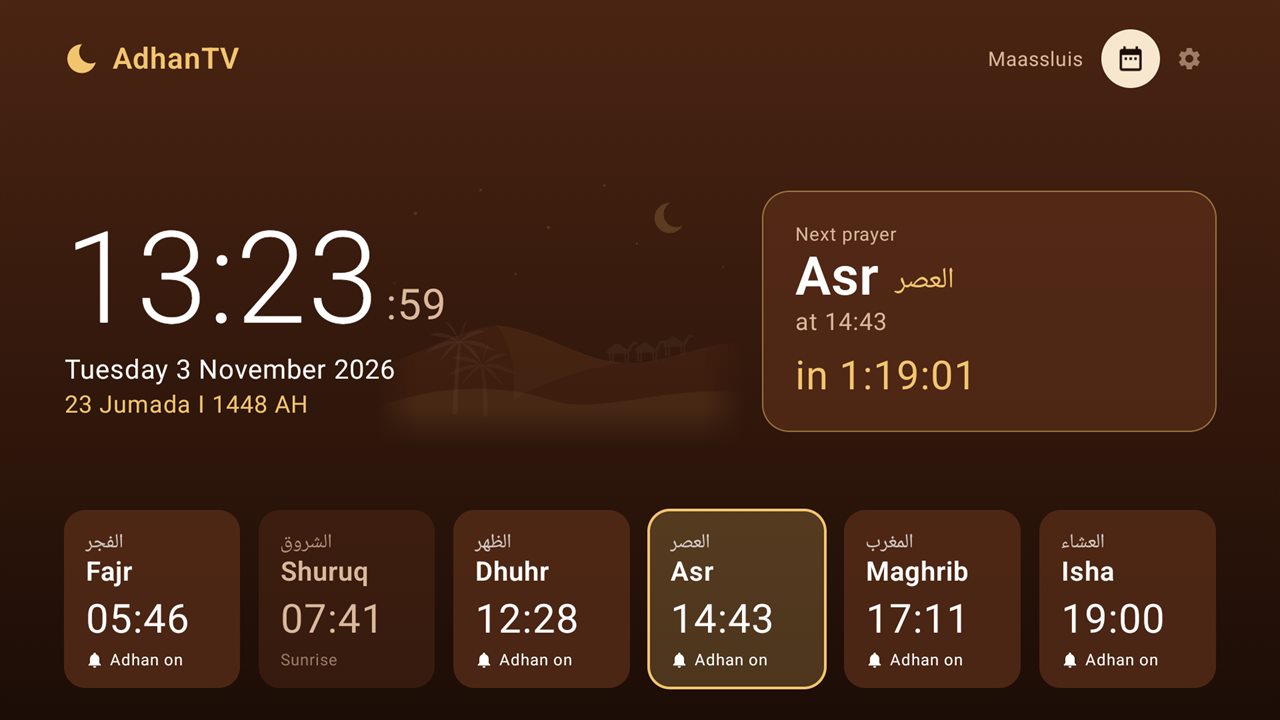
1Home screen
The clock, the Gregorian and Islamic date, the next prayer with a countdown and all prayer times of today. Select a prayer with the remote to switch its adhan on or off.
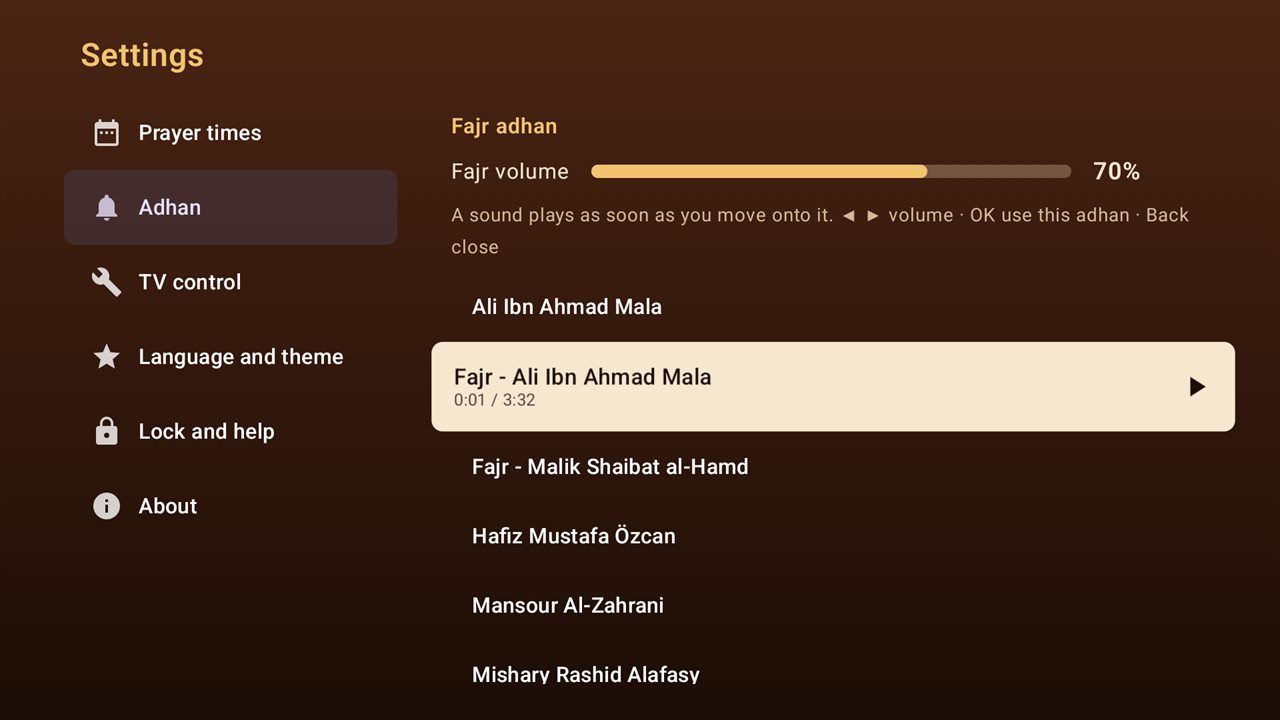
2Choose the adhan
Move through the list and each adhan starts playing, so choosing is easy. Use ◀ ▶ for the volume. Fajr has its own adhan and volume.
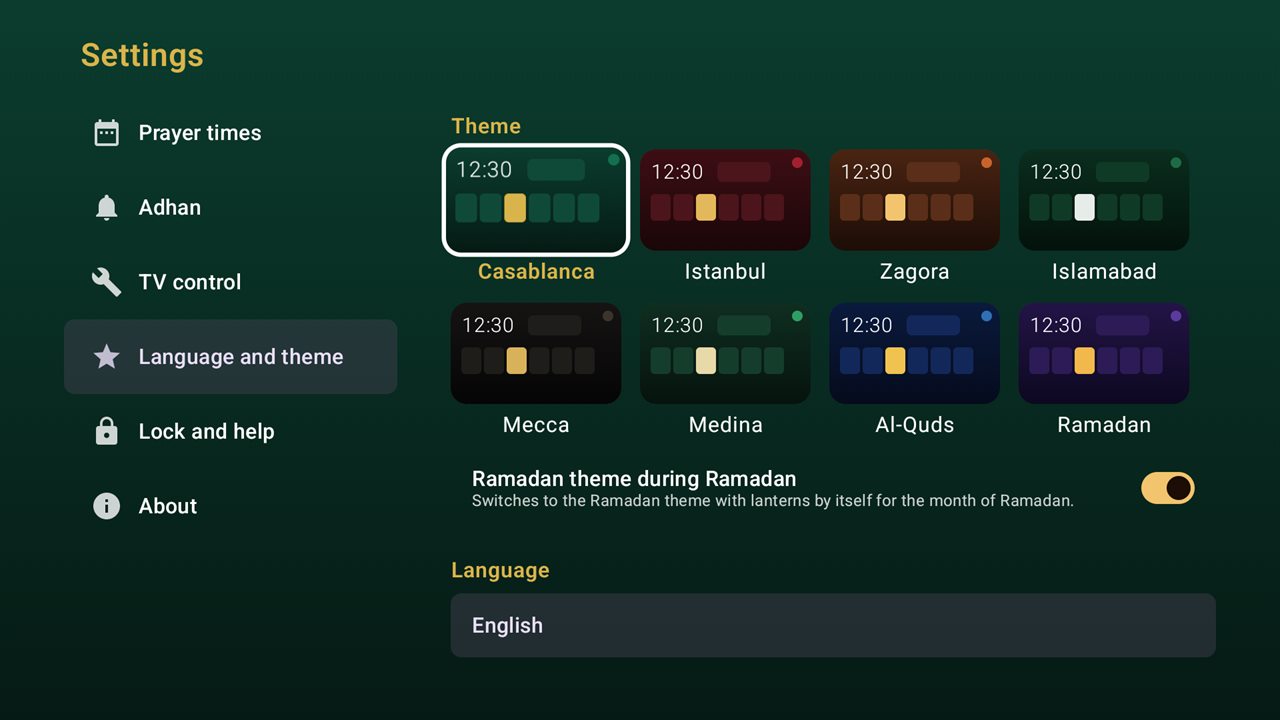
3Themes
Choose the colours and background drawing you like. During Ramadan the Ramadan theme with lanterns can switch on by itself.
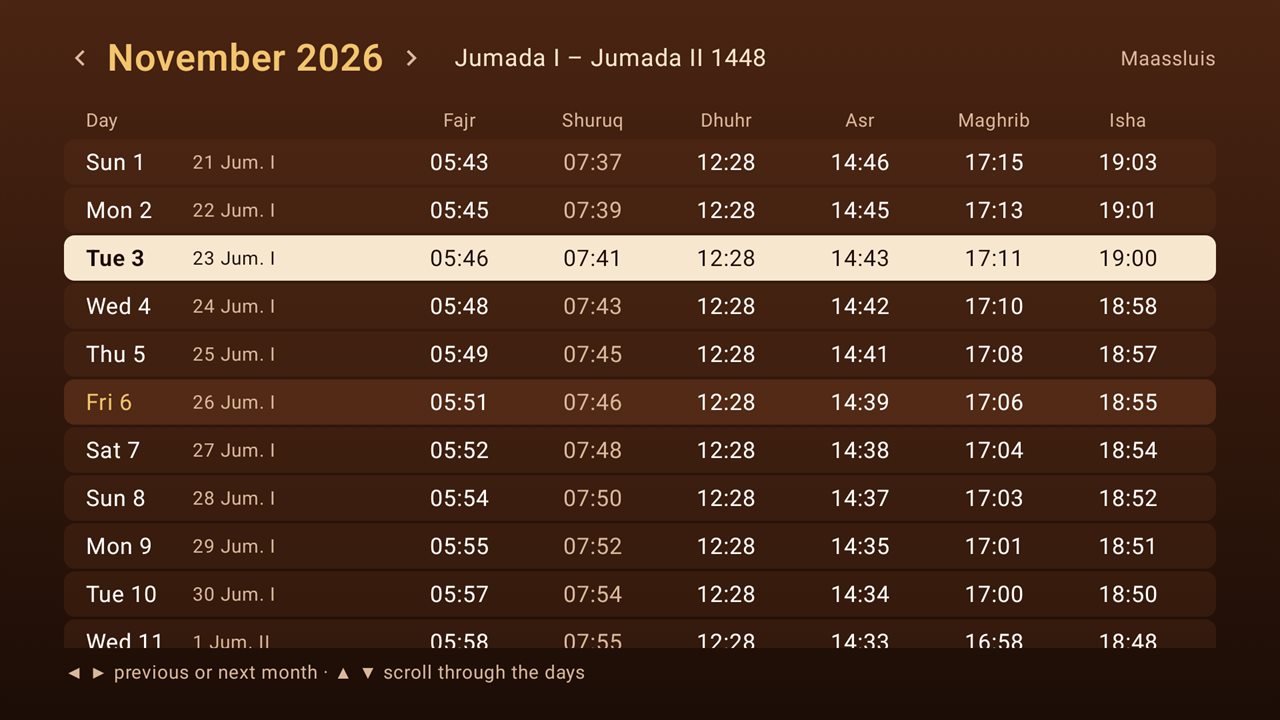
4Month overview
All prayer times of the month, with the Islamic date of every day. Use ◀ ▶ for the previous or next month.
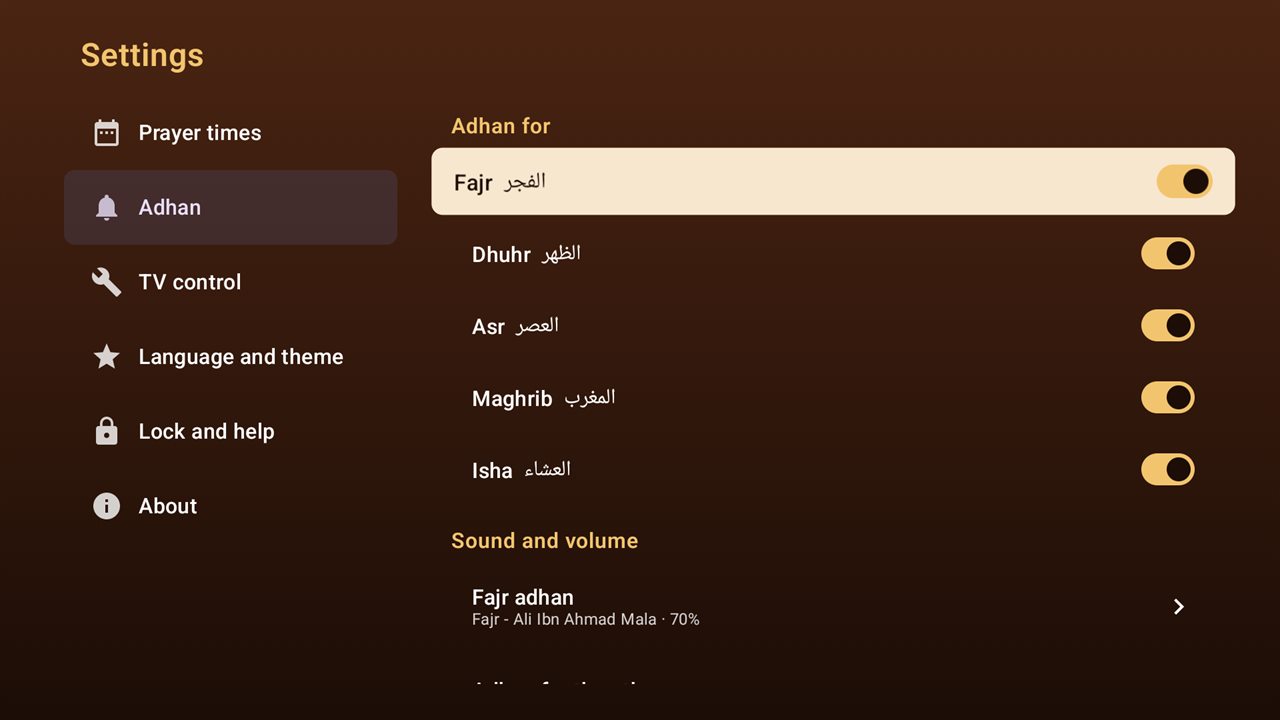
5Settings
Switch the adhan on or off for each prayer and choose the sound and volume. Everything is made for the arrow keys and OK.
Download AdhanTV
Install AdhanTV on your Android TV box or Google TV in a few minutes. The app is free.
Version 2.2 · for Android TV and Google TV · Android 7.0 or newer
The version from this site updates itself: when there is a new version, AdhanTV asks you whether to install it. Coming soon to Google Play as well.
Easiest on the TV box itself
Open the Downloader app on your TV box and type:
adhantv.net/apk
Frequently asked questions
On which devices does AdhanTV work?
On Android TV and Google TV devices with Android 7.0 or newer: TV boxes, set-top boxes, streaming sticks and smart TVs with Android TV. Not on phones or tablets, and not on TVs with Tizen, webOS or another system.
Does the TV really switch on by itself?
Yes, when HDMI-CEC is on, both on the TV box and on the TV. On TVs it often has a brand name, such as Anynet+ (Samsung), SimpLink (LG), Bravia Sync (Sony) or EasyLink (Philips). Without HDMI-CEC the box still wakes up and plays the adhan, but you switch the TV on yourself.
Why does AdhanTV ask for Accessibility?
Only to put the box back in standby after the adhan, the same as pressing the power button. AdhanTV reads nothing on your screen and collects nothing. On Android 7 and 8 the box asks for device admin instead, for the same standby action only.
Why "Display over other apps"?
Android only lets an app show a screen from standby with this permission. AdhanTV uses it for the adhan screen and for the optional prayer break.
The adhan did not play. What now?
Open AdhanTV: if something is not set up correctly, a bar with a Fix button appears on the home screen. Never use Force stop on AdhanTV, and don't let cleaner or booster apps close it: Android then switches off its standby service and its alarms. Keep the box in standby rather than unplugging it.
My box stays on after the adhan.
Some older boxes can't put themselves in standby. The adhan still plays; afterwards the box simply stays on. Check under Settings › TV control that the Accessibility service (or device admin on Android 7 and 8) is on.
Where do the prayer times come from?
From your mosque's page on Mawaqit, or calculated on the box for your city. You can move each prayer by a few minutes. AdhanTV is an independent app and is not affiliated with Mawaqit or with any mosque.
Can I use my own adhan?
Yes. Download an MP3 from a link in Settings › Adhan, or copy audio files to the app's folder on the box. Then choose it for Fajr or for the other prayers.
How do I test it?
At the end of the setup, or later under Settings, start a test: put the box in standby and two minutes later the adhan plays.
How do updates work?
The version from this site checks adhantv.net for a new version and asks you whether to install it; Android asks you to confirm. The version from Google Play is updated by Google Play.
Does AdhanTV collect data?
No. No account, no ads, no analytics. The app only goes online for your mosque's prayer times, Islamic dates when you choose Saudi Arabia or Turkey, an MP3 you download and, for the version from this site, the update check. Read the privacy policy.
Questions?
Something not working, or an idea for AdhanTV? Send a message and you will get an answer by e-mail.